
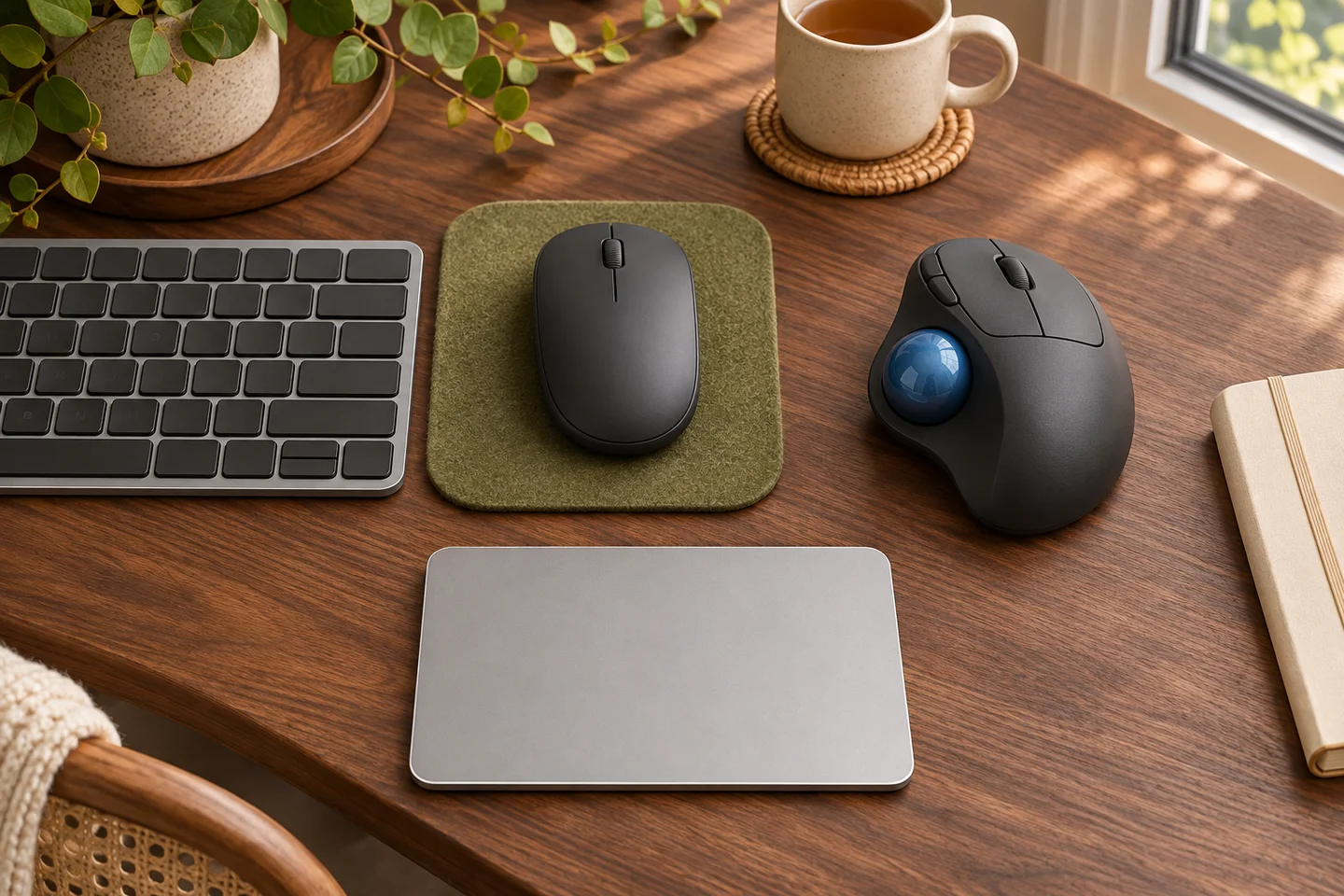
A compact mouse can fit beside your keyboard and still feel crowded when you drag a file or cross a wide screen. Measure the clear space where your hand actually moves, then test it with your current mouse before looking at a smaller one. If you consistently hit the laptop or a notebook, a stationary trackball or trackpad may make better use of the space.
Measure the space you can actually use
Put the keyboard, laptop and notebook where they normally sit. Measure the clear width and depth on your mouse side. Use painter’s tape to mark those boundaries, then drag a file across the screen, select a few lines of text and move between your most-used windows. Count the times you lift and reposition the mouse or bump the edge. If you use two displays, include the full move from one screen to the other.
A 2½-inch-wide mouse has 2½ inches of total sideways room in a 5-inch-wide clear strip, assuming the whole mouse stays inside the strip. Your hand may need more room than the mouse body. Try moving the keyboard an inch toward the center or changing pointer speed one step, then repeat the same tasks before deciding.
Compare three ways to control the pointer
| Option | Where it fits | Trade-off |
|---|---|---|
| Compact mouse | You like familiar clicks and have room for repeated movement. | It still needs a clear travel area. A short shell may fit the desk better than it fits your hand. |
| Trackball | The base can stay beside your keyboard while you move the pointer with the ball. | Allow room for your hand. Thumb and finger models use different motions, and some models fit one hand only. |
| Trackpad | You have a clear rectangle beside or below the keyboard and prefer finger gestures. | Check how well the gestures work on your system and try click-and-drag on a task you do every day. |
Test fit, connection and everyday tasks
- Hand fit: Try reaching the scroll wheel or ball and any side buttons from your normal grip. Check for left-hand support if you need it.
- Connection: Check whether it uses Bluetooth, a USB receiver or a cable. A receiver takes a port, and a wired cable needs a route that won’t drag across your movement area. Read the maker’s compatibility notes for gestures or extra buttons.
- Typical work: Try text selection, spreadsheet scrolling and window dragging. Test at your normal pointer speed and adjust it gradually if movement feels cramped.
For a desk with a number pad you rarely use, compare compact keyboard layouts before replacing a mouse that already works. If your wider desktop is spread across two screens, see the small-desk dual monitor guide.
Plan what you would replace first
Start by testing the mouse or built-in trackpad you already have. If the mouse passes the movement test but slides poorly on your surface, an example $10 allowance for a small pad may address the problem. If you need both a new compact mouse and a pad, use $35 as a planning example ($25 and $10). Compare current listings, shipping and taxes before ordering.
Compare small-desk pointing devices on Amazon US
Affiliate disclosure: As an Amazon Associate I earn from qualifying purchases.
- Compare compact wireless mice. Check shell size and supported connection modes.
- Compare stationary trackballs. Check hand orientation and where the ball sits.
- Compare external trackpads. Check operating-system support and the gestures you use.
Pingback: How to Choose a Compact Keyboard for a Small Desk - ELDALY Workspace