
On a small desk, start by protecting the space you need to work. Open a notebook, move your mouse through its usual range, then organize everything around that footprint. This guide shows what to measure and how to compare storage that fits.
Map the desk before you buy
For a 40 × 20 inch desk, tape out a sample 24 × 14 inch work area. Sit down with your actual keyboard, mouse and widest open notebook. Widen the tape outline if you reach beyond it. Measure what is left with the chair in its usual position.
Choose a storage fix for the clutter you have
Cables keep spilling into the work area
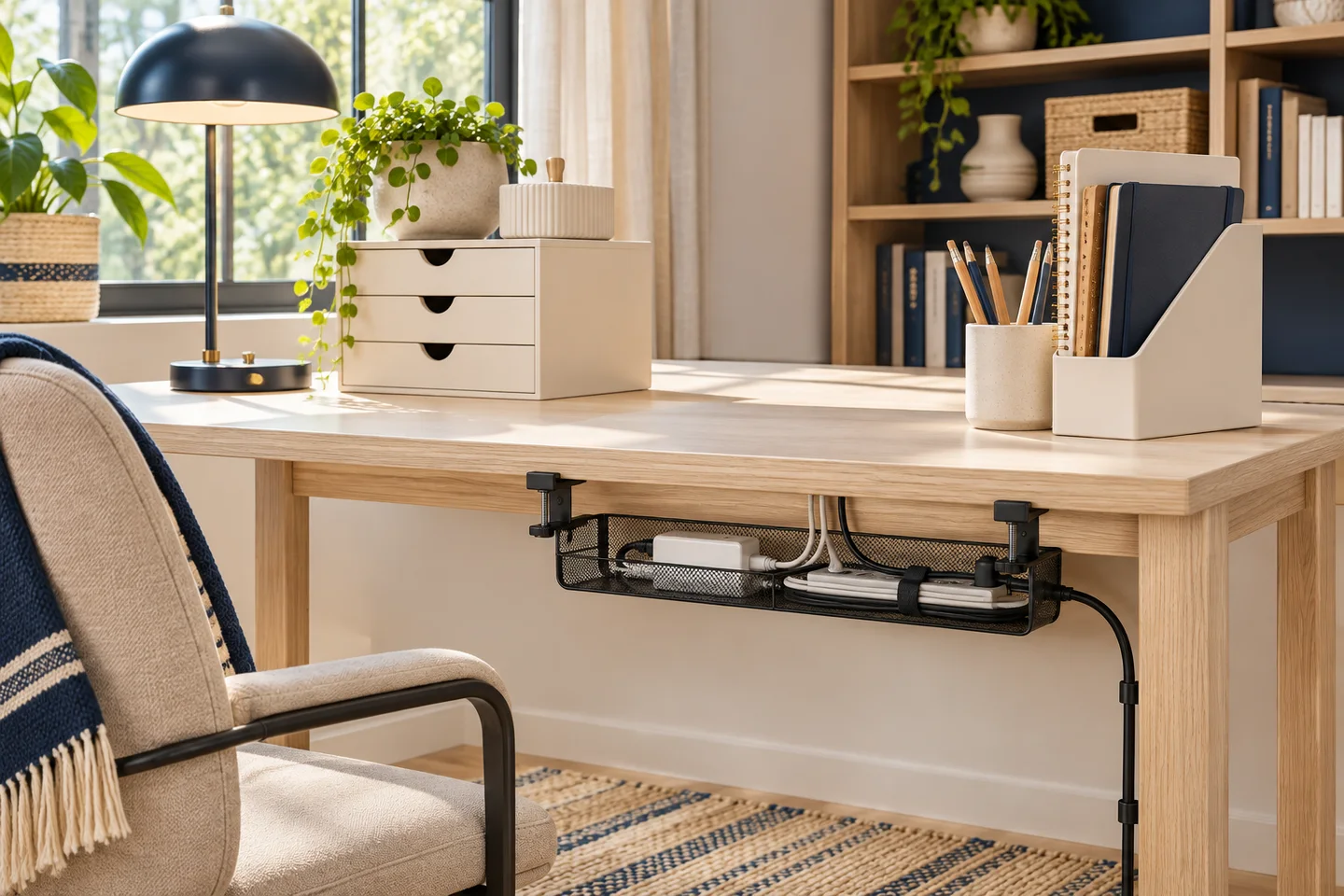
Start with reusable ties at the rear edge. They make it easy to free a cable when you change equipment, but they still leave bulky adapters on the desk. If adapters take up too much room, a clamp-on tray can move them beneath the back edge. Measure desktop thickness at the exact clamp point, tray depth, and the gap behind the desk. Check for a frame, wall or support bar in the way. Move your chair and raise or lower a sit-stand desk through its full travel before finalizing the route.
Pens and small tools cover the desk
A shallow desktop tray is easy to reach but takes up part of the work surface. A drawer divider puts supplies out of sight and frees the surface, provided the drawer opens freely and has enough room. Measure the usable inside width and depth, then check clearance from the drawer floor to the lowest obstruction when it closes. A useful first test is to put only the items you used today in a spare tray.
Notebooks and papers are stacked flat
A vertical file holder keeps current papers visible and takes up a smaller footprint than a wide pile, but a narrow holder can tip with heavy binders. Measure its base and the thickest item that needs to fit. A wall file pocket frees the surface and makes sense if you can reach it from the desk and have permission to mount it. Keep paperwork that can wait in a separate spot so the daily holder stays easy to browse.
Set a budget for one change at a time
For an illustrative $45 organization budget, set aside $10 for ties, $15 for one supply organizer and $20 for a cable tray or file holder if you still need one. Try the layout for a few days with items you already have, then put any unused amount toward the rest of your setup. These are planning amounts in US dollars. Check current prices and shipping on Amazon.
Keep planning with the small-space desk layouts and the workspace budget calculator. If the rearrangement changes where you read or write, check the lighting placement guide before settling on a corner.
If the loose cables mostly belong to your laptop and phone, compare charging layouts for a small desk and give both cable ends a fixed place.
Compare storage options on Amazon US
As an Amazon Associate I earn from qualifying purchases.
Use these searches to compare current choices by size, mounting and price.
Cables and chargers
Compare reusable hook-and-loop cable ties on Amazon US (paid link)
Check the strap length against the thickest bundle you actually want to group.
Compare clamp-on under-desk cable trays on Amazon US (paid link)
Check minimum and maximum desktop thickness, tray depth and the space available under the rear edge.
Pens and small supplies
Compare low-profile drawer divider trays on Amazon US (paid link)
Compare outside dimensions and tray height with the usable space inside the drawer.
Compare shallow desktop stationery trays on Amazon US (paid link)
Check the footprint against the corner space you measured with your notebook open.
Notebooks and paperwork
Compare slim weighted vertical file holders on Amazon US (paid link)
Compare base width and opening size with your thickest notebook.
Compare wall-mounted file pockets on Amazon US (paid link)
Check the usable pocket size, required fixings and whether you have permission to mount it.
Pingback: How to Organize Paperwork in a Small Home Office - ELDALY Workspace
Pingback: How to Set Up a Printer Station in a Small Home Office - ELDALY Workspace