
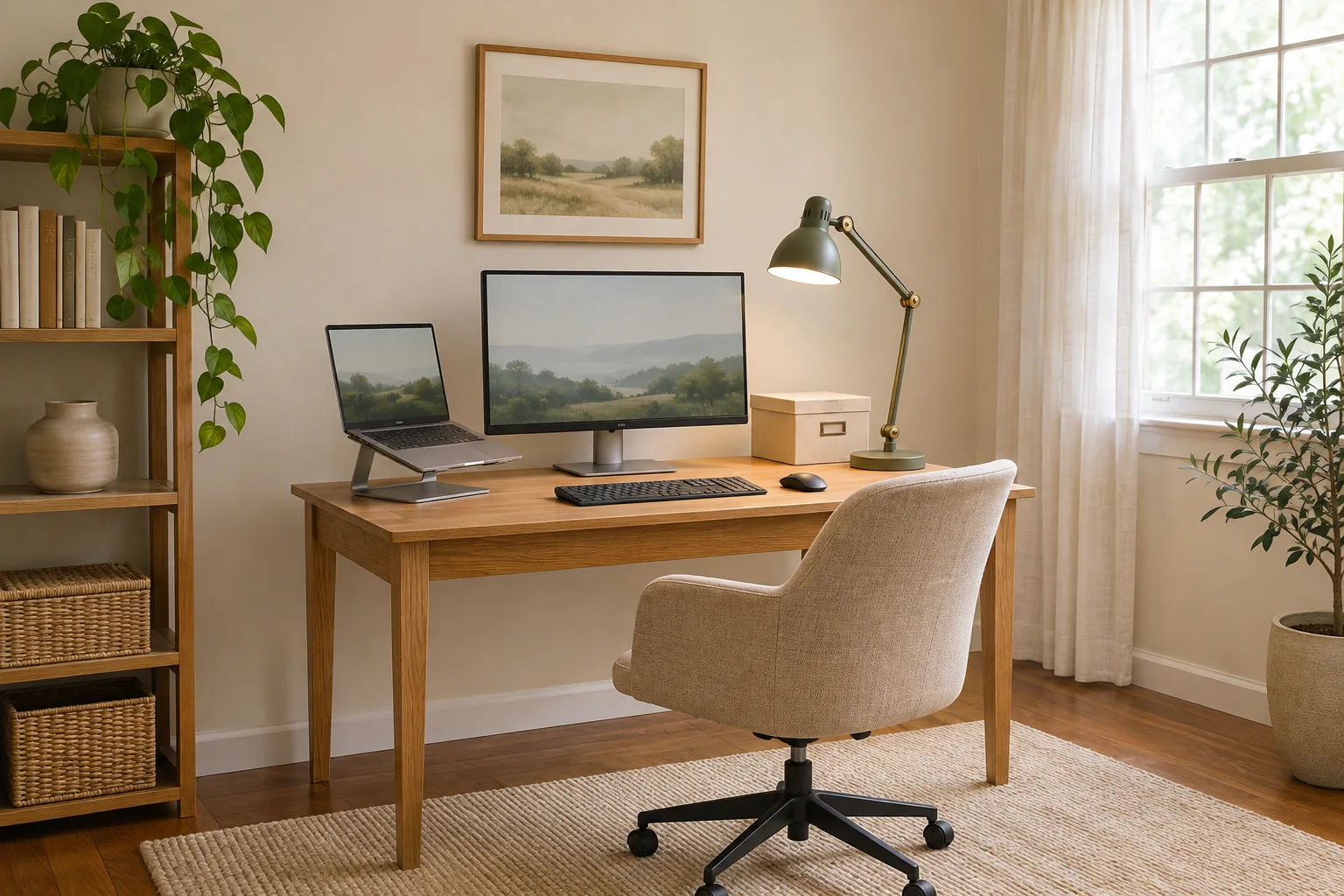
A laptop that travels with you can still have a permanent place to work at home. In this medium-room layout, the external monitor stays centered, the laptop sits to one side, and a notebook stays open beside the keyboard. It suits someone who studies or works on screen and writes by hand throughout the day.
See equipment and furniture on Amazon US
Measure the room and test the layout
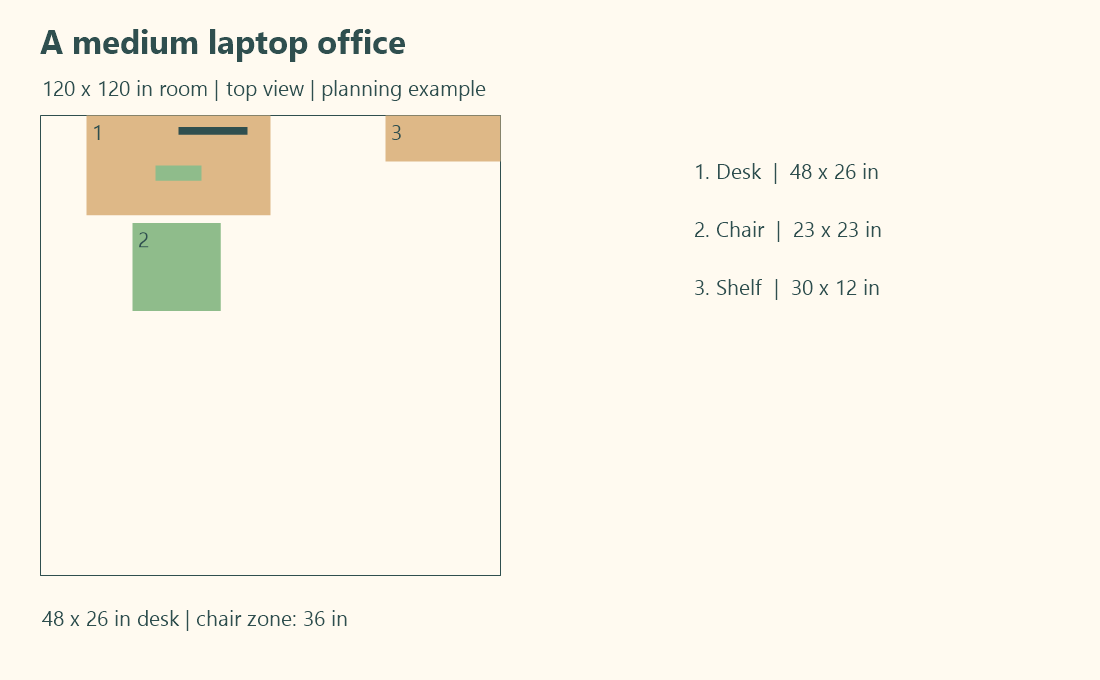
Try a 120-by-120-inch room and a 48-by-26-inch desk on a side wall. Tape out the desktop, then pull your own chair back until you can stand. With a 36-inch chair zone, the example uses 62 inches of room depth. Mark the walking route separately if another person passes behind you. Open the room door and any cabinet drawer while the chair is pulled out.
Face the monitor along a wall perpendicular to the window. Put the laptop on a stand beside it and test your charger cable with the laptop raised. Keep the mouse clear of the notebook and aim the lamp from the side opposite your writing hand. Place a file box on an existing shelf, away from the chair. Sit down in daylight and after dark to check the screen for reflections.
Download the room measurement worksheet (PDF)
Laptop Stand or External Monitor for Video Calls?
Have a call coming up? Run the free two-minute video call check with your current setup.
Start with a laptop stand if your main problem is a low camera angle and the laptop screen already gives you enough room. Start with an external monitor if you often need to see the call, a shared screen, and your notes at the same time.
- Laptop stand first. Raise the laptop and record a short test call with its built-in camera. Check the framing from your usual seat. If the laptop stays raised while you type, leave room for a separate keyboard and mouse and check that your charger reaches.
- External monitor first. Open a call and your notes side by side on a screen you already own, if one is available. Before ordering, check the connection your laptop supports and measure the screen base with the keyboard in front. If you use the laptop camera beside the monitor, check whether you look off to the side during calls.
- Use both if you need both benefits. In the 48-by-26-inch desk example, place the monitor in front of you and the raised laptop close beside it. Check that you can still open a notebook and reach both devices. Adjust the camera position using a test recording.
For the monitor option, see how to compare screens and monitor stands for your desk.
Compare a stand with a dock
| Option | When it fits | What to check |
|---|---|---|
| Stand and direct cable | You usually connect one monitor and your laptop has a compatible output. | Measure the stand base with the laptop open. Budget for a separate keyboard and mouse. |
| Dock and separate monitor | You disconnect the laptop daily and want fewer cables to unplug. | Check display support, charging power, and included cables against the laptop specifications. A dock alone does not raise the laptop. |
Plan a $550 budget
These are example spending allowances in US dollars. Use actual listing prices, local tax, and delivery charges when you build your shopping list.
| Item | Planning allowance |
|---|---|
| Desk | $160 |
| Chair | $140 |
| External monitor | $130 |
| Laptop stand | $25 |
| Keyboard and mouse | $40 |
| Task lamp | $30 |
| Cables and delivery allowance | $25 |
| Example total | $550 |
The example assumes you already own the laptop and can use an existing shelf. Reusing a suitable chair takes $140 off the plan, bringing the allowance to $410. If you choose a dock, enter its cost separately. Calculate your own workspace budget.
What to buy first and what can wait
Fit the desk and chair first. Connect the monitor with the cables you own, then choose the stand, keyboard, mouse, and lamp. A dock or monitor arm can wait until you know whether reconnecting cables or finding writing space is the bigger problem.
Shop on Amazon US
Paid links. As an Amazon Associate I earn from qualifying purchases.
- Browse 24-inch IPS monitors on Amazon US (paid link)
- Browse USB-C docks with HDMI on Amazon US (paid link)
- Browse separate keyboards and mice on Amazon US (paid link)
These links open Amazon.com search results. Check the product specifications, seller, delivery destination, and total price before ordering.
As an Amazon Associate I earn from qualifying purchases. These paid links open searches so you can compare sizes, included parts, and delivery costs.